 Arcade Games
![1943: Midway Kaisen (bootleg) [Bootleg]](https://img.crazygames-poki.com/79211b49de32c29f6aeeeb49ccb7c571.png)
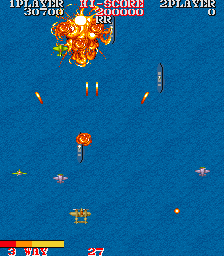
![1943: The Battle of Midway (bootleg set 2, hack of Japan set) [Bootleg]](https://img.crazygames-poki.com/70485590ab4dd5efaad3f5b1ffa51446.png)
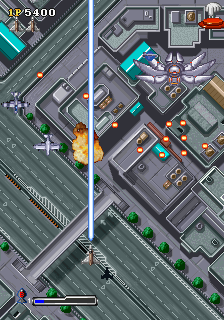
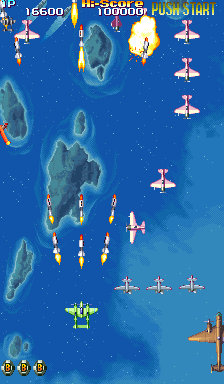

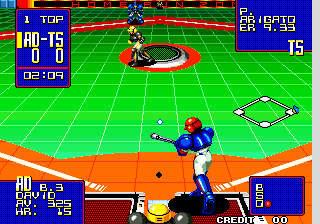
![A.B. Cop (Japan, FD1094 317-0169b decrypted) [Bootleg]](https://img.crazygames-poki.com/0a1af0ade00ab79a3103eca13e3a20e1.png)
![A.B. Cop (World, FD1094 317-0169b decrypted) [Bootleg]](https://img.crazygames-poki.com/1909f0ceece1863d855bb5df4b48e054.png)
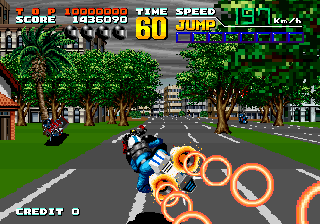
![A.D. 2083 [Incomplete Sound]](https://img.crazygames-poki.com/4a34dc9320fae4755742aae6e427d04d.png)
What is Geometry Lite?
Geometry Lite presents its own kind of elegant refreshment of the classic Geometry Dash game. This version charms the player with its own style of graphics that serves the experience at another level. Prepare yourself for a huge collection of levels, each with varying backgrounds from scenic to stunning, so there will never be gameplay repetition. Your task is to direct a geometry character through a ridiculous maze of traps and dangerous obstacles, heading for the exit portal at the end of each level. Geometry Lite offers a truly unforgettable adventure full of precision, skill, and sheer exhilaration for all platforming challenge veterans and newbies alike!

How to Play
The premise of Geometry Lite is pretty straightforward, which is why it can become an addicting one. Tap to jump, hold to fly as you get a character through a perilous barrage of obstacles. Each level tests your reflexes and spatial awareness one way or another. You time your movements just right to avoid spikes, lasers, and moving platforms. The goal is the same for all levels - reach the end of the level, avoiding falling or bumping into obstacles. With smooth controls and growing difficulty levels, Geometry Lite is one heck of a challenge that promises to keep you glued for hours.
Tips & Tricks
- Practice mode is your friend: Use it to build your skills and get comfortable with the gameplay before you dive into the more challenging levels.
- Learn from mistakes: Every time you fail, analyze where you went wrong and try a different approach.
- Stay calm: Panicking will only add to awkward mistakes. Breathe in and out, then face each obstacle as it comes.
- Master the timing: Jumping and flying at the right time is key. Get familiar with timing your moves until it becomes second nature.
- Go exploring within the levels: Each one offers a different challenge. Don't hesitate to try out all of them until you find the ones you love most.
History
A Geometry Lite is a spinoff version of the original Geometry Dash, believed to be very much enjoyed for its hard gameplay and impressive appearance. While the original game set up the platform, Geometry Lite gives an entirely new perspective with enhanced graphics and more levels. It shows the popularity the game must have reached and the ardency that still drives its community to hunt for newer and better versions of the much-loved title.
Play Unblocked
For those interested in having an unblocked play of Geometry Lite, there exist a couple of methods one might consider. Some schools and workplaces restrict downloads from certain websites; using a good client will allow you to circumvent most restrictions. Alternatively, access the game through a web gateway that is independent of such limitations. Please review your local laws and any regulations before doing so.
Game Developer
Geometry Lite, just like Geometry Dash, is developed by RobTop Games. RobTop is well-known for producing engaging and challenging games that really push players to their limits. With an enthusiastic passion for gaming and commitment to high quality, RobTop Games shall continue to produce games whose very soul is spoken by many in the gaming community worldwide.
Game Platforms
Geometry Lite can be played on varied platforms; hence myriad players have the opportunity to play it:
- On PC: You can download it from official websites or other trusted platforms.
- Mobile Devices: Basically perfect for gaming on the go, Geometry Lite is available on iOS and Android.
- Web Browser: Some shady Geometry Lite versions can be played entirely on your web browser, without any option to download.
How to Play Unblocked
If you are at your school or work and don't seem to access Geometry Lite, here are few tricks to be played unblocked;
- Make a connection: A can help you get past any restrictions by routing your Internet traffic through servers in locations.
- Web-Based Platforms: There exists many websites that unblocked versions of popular games, Geometry Lite included.
- Just ask for permission: If you are in school, go ahead ask the IT department to put in a whitelist for the game to be accessed by students.
FAQ
Is Geometry Lite free to play?
Yes, Geometry Lite is free, although some features and levels may cost you something if you wish.
Are there different levels in Geometry Lite?
Yeah! The game includes quite some levels, each with different challenges and backgrounds.
Can I play Geometry Lite on my mobile device?
Yes, Geometry Lite is available on both iOS and Android.
What are the controls for Geometry Lite?
Control; Real simply; Tap to jump; hold to fly!
Is there a practice mode in Geometry Lite?
Yes. Indeed, there's practice mode that allows you to practice your skills and get comfortable with the mechanics.
So, what are you waiting for? Dive into the captivating world of Geometry Lite and let the adventure begin! With its challenging levels, vibrant graphics, and addictive gameplay, this game is promising enough to entertain anyone for endless hours. So do not hesitate a bit longer—embark on this thrilling journey today and see if you can conquer the challenges that lie ahead!
Play Geometry Lite on your Mobile

Span the QR Code with your mobile device camera to play Geometry Lite
You can enjoy this game on mobile and tablet(such as iPhone, IPad, and Android device)